



5 Key Metrics to Evaluate a Clinic Management Software: A 2026 Buyer’s Guide

Anagha Venugopal
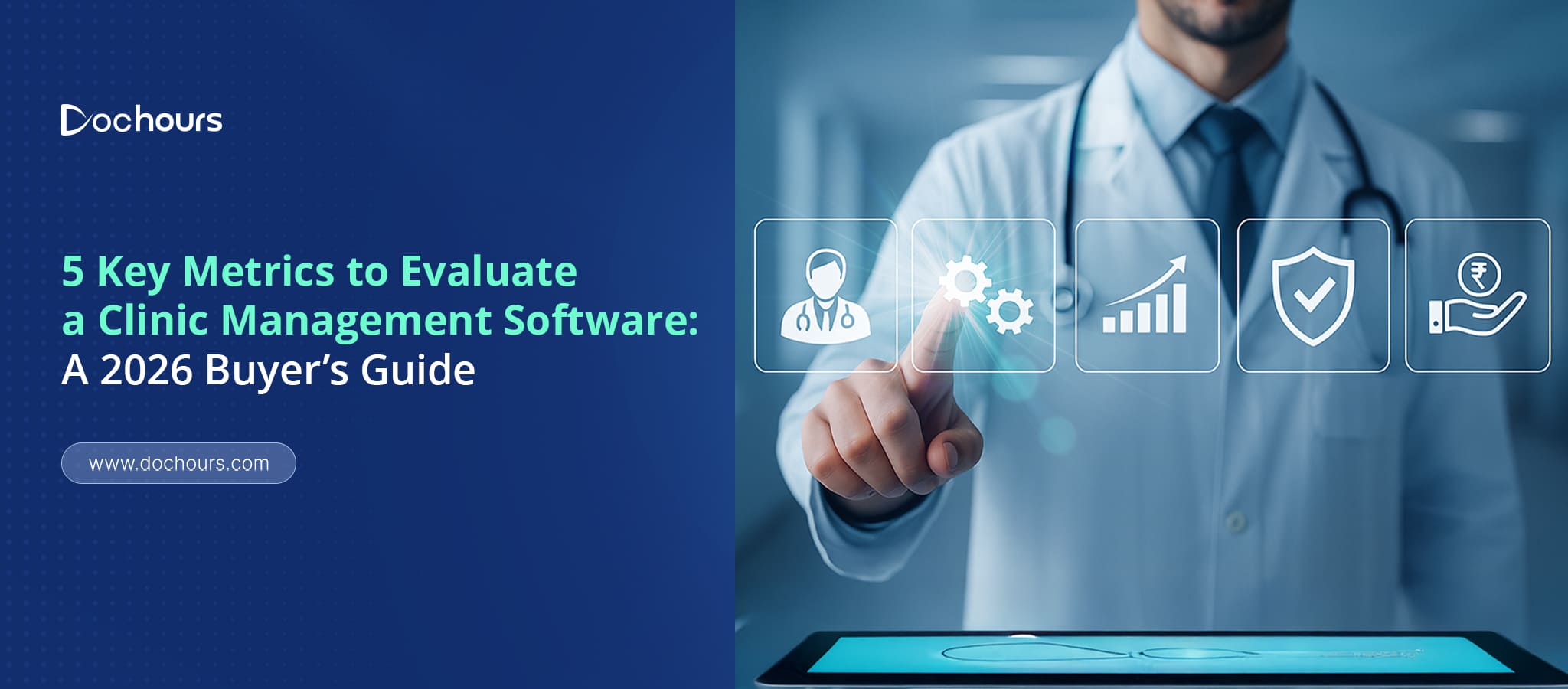
Choosing the right clinic management software (CMS) can transform the way your clinic operates—from everyday appointment handling to long-term patient care outcomes. With dozens of platforms available across India in 2026, it’s increasingly important for clinics to adopt a structured, metric-based approach before making a decision. This is exactly why understanding the key metrics to evaluate a clinic management software is crucial.
Rather than selecting a CMS based solely on pricing, marketing claims, or feature lists, evaluating it through well-defined performance and operational metrics allows you to compare platforms objectively. This approach helps you reduce implementation risks, improve staff adoption, and ensure the system can support your clinic’s workflow, compliance needs, and growth plans.
Whether you manage a small practice or a multi-speciality clinic, the five key metrics discussed in this blog—performance, usability, security, integrations, and analytics—give you a simple but powerful framework to identify the best clinic management software for your needs. This will help you choose a clinic management system that enhances efficiency, reduces manual workload, improves patient experience, and scales effortlessly as your clinic expands.
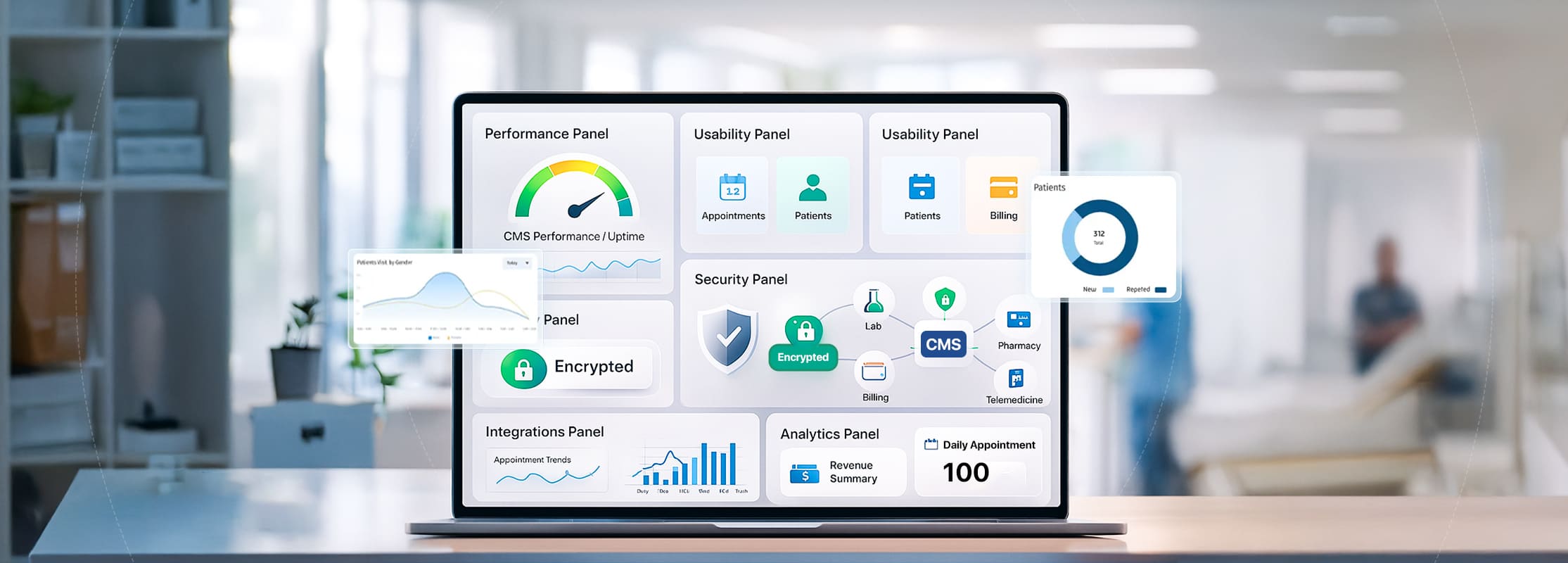
The core factors to consider before buying a clinic management software include how fast the system performs, how easy it is for staff to use, how securely it manages patient data, how well it integrates with other tools, and how accurately it reports insights. These are the foundational key metrics to evaluate a clinic management software in 2026.
1. Performance & Speed
In a fast-paced clinic, even a few seconds of lag can disrupt patient flow. That’s why Performance is one of the most important factors to consider before buying a clinic management software, especially for clinics that handle high patient volumes. A high-performing Clinic management software ensures that staff can work without interruptions, patients are attended to on time, and the entire clinic operates with steady momentum.
Unlike generic business tools, clinic software handles large volumes of data—medical records, reports, appointment histories, prescriptions, billing information, and real-time queue management. This means the system must remain fast, stable, and efficient even when multiple users access it simultaneously.
The following performance benchmarks clarify what to look for in a clinic management system:
1. Fast Access to Patient Records
Doctors and staff should be able to:
- Load medical histories instantly
- Switch between SOAP notes, prescriptions, and reports without lag
- Retrieve old records or lab results in seconds
2. Quick Appointment Scheduling & Queue Updates
A high-performance system should allow:
- Instant slot booking
- Real-time queue refresh
- Smooth drag-and-drop rescheduling
- Immediate visibility of doctor availability
3. Lightning-Fast Billing & Invoice Generation
Peak-hour billing can overwhelm poorly optimized systems. A good clinic management system should:
- Create invoices instantly
- Auto-fetch consultation details
- Process discounts, packages, and payment methods without delays
4. Stable Multi-User Support
Clinics have doctors, nurses, receptionists, and admins logged in simultaneously. A strong clinic management software must handle:
- Multiple concurrent logins
- Heavy data operations
- Simultaneous record updates
5. Minimal Downtime & Reliable Uptime
Top clinic platforms typically offer:
- 99.9% uptime
- Automatic failover support
- Real-time server monitoring
- Quick recovery in case of disruptions
6. Optimized Cloud Infrastructure
Well-engineered clinic management software platforms rely on scalable cloud environments that provide:
- Faster load times
- Balanced resource allocation
- Seamless performance during high-traffic hours
- Efficient data syncing across branches
7. Smooth Navigation Between Modules
Performance is also about workflow fluidity. Staff should be able to:
- Move from appointments to EMR to billing effortlessly
- Open multiple tabs without slowdowns
- Work without screen freezes or forced logouts
2. Usability & User Experience
In a busy clinic environment, software should make work faster—not harder. That’s why usability and user experience stand out as critical key metrics to evaluate a clinic management software. Even the most feature-packed system becomes a burden if staff find it confusing, cluttered, or slow to use.
A well-designed clinic management software acknowledges the realities of clinical workflows: doctors rushing between consultations, front-desk staff managing appointments, nurses updating patient records, and administrators handling billing. To support this, the software must be intuitive, efficient, and easy for every user—regardless of technical skill.
Top 6 Ways Clinic Management System Improves Patient Experience If you would like to know more about how a clinic management software helps to improve patient experience in your clinic check out our blog
Essential Usability Features in Modern Clinic Management Systems
The best Clinic Management Software platforms in the market focus heavily on the end-user experience. Here’s the usability checklist your clinic should look for:
1. Clean, Intuitive Interface
- A user-friendly Clinic Management Software avoids clutter and unnecessary complexity. It should offer:
- A dashboard that highlights only essential information
- Clearly labelled menus and icons
- Logical workflows that feel natural to clinic staff
2. Role-Based Dashboards
Every staff member has different responsibilities, so the system should adapt accordingly:
- Doctors see appointments, patient history, notes, and prescriptions
- Receptionists see scheduling, cancellations, and patient queues
- Admins see billing, reports, and overall clinic performance
3. Minimal Learning Curve
Top clinic management platforms aim for near-zero training time by offering:
- Simple onboarding steps
- In-software tooltips and walk-through guides
- Pre-filled templates (prescriptions, progress notes, invoices)
- Quick navigation shortcuts
4. Mobile and Multi-Device Access
Modern Clinic Management Software providers understand that doctors are often on the move. The system should offer:
- A mobile-responsive interface
- Dedicated doctor-friendly mobile access
- The ability to update cases, view schedules, and check records remotely
5. Fast and Error-Free Data Entry
Clinical work is high-pressure, so the Clinic Management Software must:
- Auto-fill recurring information
- Provide smart suggestions for diagnosis and medicines
- Offer clear validation alerts to prevent mistakes
- Enable one-click actions for common tasks
6. Streamlined Appointment & Queue Management
A well-designed Clinic Management Software simplifies one of the busiest areas of clinic operations through:
- Drag-and-drop appointment scheduling
- Easy rescheduling options
- Real-time updates on patient queues
- Visual color-coded appointment statuses
7. Accessibility & Inclusivity
User experience also means making the system accessible to everyone. Look for:
- Large, readable fonts
- High-contrast themes
- Support for keyboard navigation
- Clear icons and tooltips
8. Consistency Across Modules
A good Clinic Management Software maintains a consistent design across all features—whether scheduling, billing, or EMR. This avoids confusion and boosts user confidence.
9. Smooth Workflow Automation
An intuitive Clinic Management Software reduces repetitive tasks by offering:
- Automated reminders and follow-ups
- Pre-set treatment workflows
- Auto-generated invoices
- Quick prescription creation
3. Security & Compliance
When it comes to healthcare, security isn’t just a “nice-to-have”—it is the foundation of patient trust. With clinics handling sensitive medical records, prescriptions, financial information, and personal details, a single breach can result in legal consequences, financial losses, and severe reputational damage.
10 Essential Healthcare Data Protection Practices
Learn more about 10 practical steps you can take to secure healthcare data, ensuring compliance and keeping patient information safe in 2026 in our blog
Read BlogThat’s why security & compliance remain non-negotiable factors to consider before buying a clinic management software. While many Clinic Management Software platforms promise “secure data storage,” the truly reliable ones follow globally recognized healthcare security frameworks and implement stringent technical controls behind the scenes. When evaluating your options, you should ensure the software aligns with the same standards that leading clinical platforms follow today.
Essential Security & Compliance Features Every CMS Must Have
Below is a practical checklist built from the most widely adopted security features across established clinic management systems:
1. Compliance with Healthcare Regulations
Respected Clinic Management Software platforms take cues from several healthcare compliance standards to enforce higher levels of protection:
- HIPAA (Health Insurance Portability and Accountability Act) — Ensures rigorous protection of patient health information
- ISO 27001 — International standard for information security management systems
- NABH-aligned protocols — Increasingly preferred by Indian clinics for quality and safety standards.
2. Strong Encryption
Look for end-to-end protection:
- Data encryption at rest to secure stored records
- TLS/SSL encryption in transit to prevent interception
3. Secure Cloud Infrastructure
Leading Clinic Management Software providers use trusted cloud ecosystems like AWS or Azure, offering:
- Firewalls & DDOS protection
- Automated updates & security patches
- High availability with failover support
4. Access Controls & Authentication
Internal misuse is also a risk, so ensure the Clinic Management Software includes:
- Two-factor authentication
- Role-based access controls
- Restricted permissions for downloads or edits
- Audit trails that record every user action
5. Automatic Backups & Recovery
A dependable clinic management software should offer:
- Scheduled automated backups
- Easy restoration options
- Disaster recovery plans for emergencies
6. Secure API & Integration Controls
If the clinic management software connects with lab systems, payment gateways or other tools, ensure:
- Tokenized, encrypted APIs
- Controlled access for third-party apps
- Monitoring of all data exchanges
4. Integration & Scalability
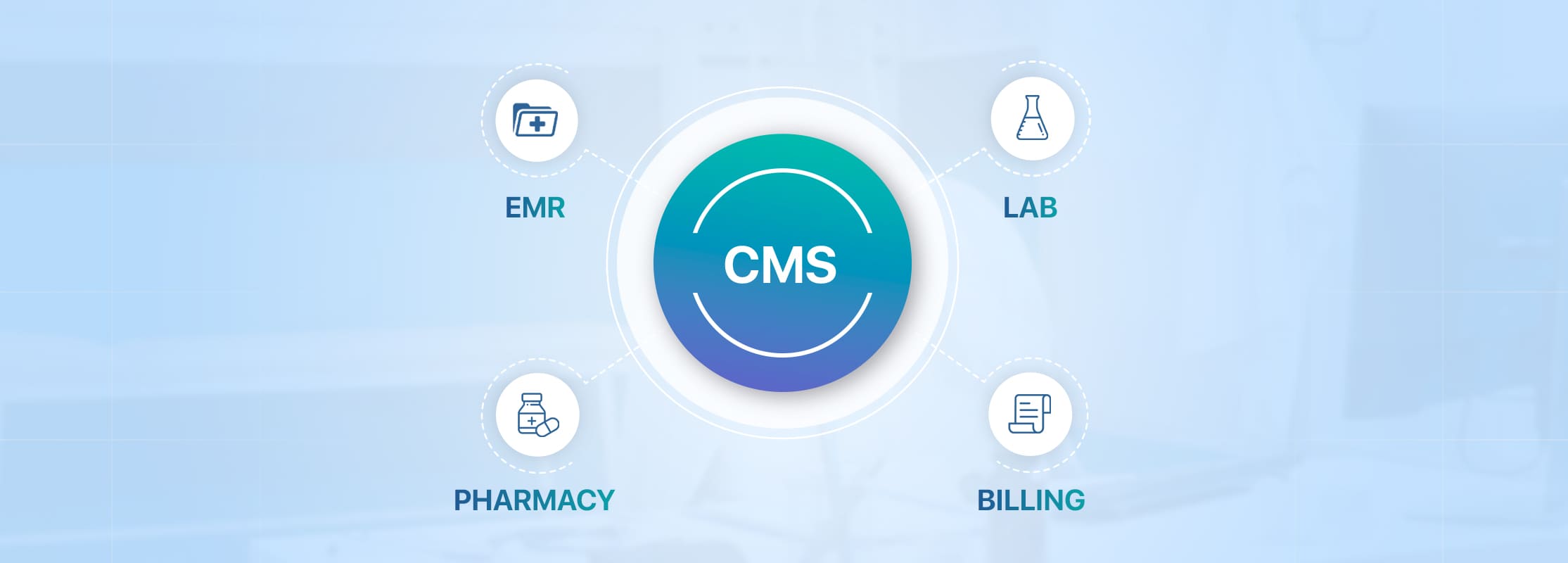
In the modern healthcare landscape, a clinic doesn’t operate in a vacuum. Laboratories, pharmacies, payment processors, telemedicine platforms, inventory systems—all of these need to work in concert. That’s why integration & scalability is one of the most important key metrics to evaluate a clinic management software: a powerful Clinic Management Software must be able to connect with the broader ecosystem while also growing with your clinic’s ambitions.
Essential Integration & Scalability Features for a Clinic Management Software
When assessing a clinic management software, here’s a checklist of integration and scalability capabilities that are seen across strong, mature platforms and should be a part of your evaluation:
1. Laboratory & Diagnostic Integration
- Ability to push test orders from the clinic management software to labs and pull back result data into patient records.
- Real-time sync of lab reports ensures that doctors see up-to-date diagnostics without switching systems.
2. Pharmacy & Inventory Sync
- Integrating with pharmacy modules allows prescriptions made in the clinic management software to reflect in stock levels, reducing overprescribing or stockouts.
- Automated inventory updates based on usage help streamline ordering and reduce wastage.
3. Payment Gateway Integration
- Support for multiple payment gateways, enabling patients to pay invoices, consultation fees, or other services online.
- Real-time payment reconciliation ensures your accounting remains accurate and minimizes manual bookkeeping.
4. Telemedicine & Virtual Care
- Built-in or API-ready teleconsultation tools for video calls, remote monitoring, or messaging.
- Scheduling and patient records for virtual visits should live in the same system, avoiding fragmentation.
5. API & Third-Party Tools Support
- A robust API layer that lets third-party vendors plug into your clinic management software — whether for analytics, marketing, or specialized clinical modules.
- Webhooks and integration points that allow you to connect onboarding, patient engagement, or external EMR systems.
APIs in Healthcare : Benefits and Use Cases
Learn more about how APIs are streamlining workflows, leading to a more connected and efficient healthcare ecosystem.
Read blog6. Multi-Branch / Multi-Location Support
- The clinic management software should support managing multiple clinic locations from a single dashboard.
- Capabilities to centralize patient data, billing, and staff across branches while preserving location-specific workflows.
7. Role-Based Access & Permission Management
Ability to assign granular permissions for different roles across locations — front-desk staff, doctors, lab technicians, admin, etc is essential. This ensures that each team member accesses only what’s relevant to their role, even across different branches or departments.
8. Scalable Architecture & Performance
The platform must be built with scalability in mind: horizontally (adding more nodes or servers) and vertically (scaling infrastructure as usage grows). It should maintain performance even when you increase patient volume, staff, or data load.
9. Data Migration & Onboarding Tools
- Smooth import of existing patient records, billing information, and historical data from your legacy systems.
- Tools for onboarding data from multiple sources without disrupting daily operations.
10. Backup, Disaster Recovery & Redundancy
As your clinic grows, the risk and impact of data loss or downtime increase. A scalable Clinic Management Software should provide automatic backups, failover servers, and disaster recovery functionalities to protect all your branches.
5. Analytics & Reporting
Reporting and analytics are major factors to consider before buying a clinic management software, especially for multi-specialty clinics. Insightful dashboards help you spot trends, optimize workflows, and shape patient care proactively, rather than reactively.
Key Features Clinics Should Look for in Analytics & Reporting
Here are essential analytics capabilities that modern clinic management software should provide — based on the kinds of features offered by leading platforms like EasyClinic and Clinthora:
1. Real-Time Dashboards
These dashboards allow clinic managers to monitor live patient flow, financials, and resource usage, enabling faster, data-backed decisions.
2. Trend Analysis & Predictive Analytics
With this, you can proactively optimize staff schedules, manage inventory, and maintain service quality even during busy hours.
3. Appointment Analytics
- Break down appointment trends by time of day, doctor, and type of visit.
- Identify peak-hour patterns, cancellation rates, and no-shows — letting you implement reminder systems or adjust scheduling slots accordingly.
4. Financial & Revenue Reports
- Get detailed financial breakdowns — income per service line, outstanding payments, billing cycles, etc.
- These reports help clinics identify high-margin services and flag revenue leakage.
5. Patient Demographics & Behavior
- Analytics on patient age, gender, location, and visit history help tailor service offerings.
- Understanding patient behavior (for example, frequent visits vs drop-offs) supports better long-term care strategies.
6. Compliance & Audit-Ready Reports
Reporting must also support regulatory needs. This helps clinics stay inspection-ready and reduces the administrative burden during audits.
7. Custom Reports
Clinics should be able to create or tailor reports specific to their workflows or specialties (multi-specialty vs single doctor).
Real-Time Healthcare Analytics: Turning Data into Insights
Wondering how data analytics can improve healthcare? Read our latest blog to find out how analytics acts as a game-changer in your practice
Read BlogClinic Software Checklist- Evaluate a CMS in 2 Minutes
If you’re short on time, you can use this quick comparison to instantly understand what to look for in a clinic management system and why it matters to consider these key factors to consider before buying a clinic management software.
| Performance & Speed | Fast loading, stable during peak hours, quick record/billing processing | Ensures smooth daily operations and reduces patient wait time. |
| Usability & User Experience | Simple navigation, role-based dashboards, minimal learning curve, mobile access | Improves staff adoption, reduces errors, speeds up onboarding. |
| Security & Compliance | Encryption, HIPAA/GDPR alignment, access controls, backups, audit logs | Protects patient data and prevents legal or compliance issues. |
| Integration & Scalability | Lab/pharmacy/billing integrations, API availability, multi-branch readiness | Keeps workflows connected and supports clinic growth. |
| Analytics & Reporting | Appointment trends, revenue reports, doctor schedule insights, patient flow metrics | Enables data-driven decisions for improving clinic efficiency. |
Conclusion: Make a Confident Choice with the Right Metrics
Choosing the right clinic management software becomes easier when you focus on the key metrics to evaluate a clinic management software. By understanding the real factors to consider before buying a clinic management software—performance, usability, security, integrations, and analytics—you can confidently identify what to look for in a clinic management system that supports your workflow and patient care goals.
A cloud-based clinic management software further enhances accessibility, scalability, and operational efficiency—helping clinics stay ahead in 2026 and beyond.
Ready to streamline your clinic? Try Dochours!
Dochours checks all the essential metrics—speed, usability, security, integrations, and advanced analytics—making it a powerful clinic management software for modern clinics in India.
Try for free - now!
