



Is Your Clinic Ready for a New Patient Management System? 8 Clear Signs It’s Time to Upgrade

Anagha Venugopal
Managing a clinic without an efficient patient management system can slow down operations, increase errors, and negatively impact the overall patient experience. If you’re still depending on paper records, spreadsheets, or outdated software, you could be losing both revenue and patience, often without realising it.
Healthcare is evolving rapidly, and digital transformation is no longer optional for clinics that want to stay relevant. The right patient data management system can streamline workflows, improve accuracy, and help you deliver more efficient, patient-centered care.
In this blog, we discuss some of the clear signs that indicate that your clinic needs a patient management system, how to choose a good patient data management system and why it is important to have a good patient management system in place
What is a Patient Management System?
A patient management system (PMS) is a digital software that helps clinics manage all patient-related activities in one place. It combines appointment scheduling, patient records, billing, and communication tools to streamline healthcare operations and improve patient care quality.
Does Your Clinic Need a Patient Management System?

These are 8 clear signs that your clinic needs to switch to a new patient management system
1. Your Staff Spends Too Much Time on Paperwork — and It’s Leading to Burnout
Healthcare workers find administrative tasks less meaningful than actually caring for patients. When work feels less meaningful, it leads to burnout. A study of 1,774 doctors found that those who spent more time on administrative work were less satisfied with their careers, more likely to experience burnout, less able to provide high-quality patient care and experienced trouble focusing during patient visits.
The Solution: A smart patient management system takes care of repetitive admin work—appointment scheduling, patient records, billing, and more—so your team doesn’t have to. That means fewer errors, faster updates, and more time spent where it truly matters: caring for patients. It’s not just about convenience. It’s about keeping the focus where it belongs—on your patients.
2. Appointment Scheduling becomes a daily struggle
If your clinic faces issues such as double-bookings, no-shows without tracking and if your patients frequently complain about wait times, it means that your booking system is not working well.
The Solution: A modern patient data management system gives you real-time appointment booking, automatic reminder messages, and smart booking that makes the best use of your clinic’s time while keeping patients happy.
3. Revenue Loss Through Billing Inefficiencies
Manually creating bills takes too much time and costs you money. This might also result in late insurance claims, frequent billing mistakes, and difficulty tracking defaulters.
The Solution: A goodpatient management software includes billing tools that automatically create insurance claims, track payments, and spot problems before they cost you money. Clinics usually see 25-30% better money collection after using a complete system.
4. Poor Patient Communication Systems
Today’s patients want easy communication with their doctors/clinics. Being available only through phone calls and not staying in touch with patients regularly, could mean that you’re not meeting what patients expect. Misaligned communication between administrative staff, providers, nurses, and specialists can result in delays or mistakes.
The Solution: A strong patient management system sends automatic appointment reminders, test result updates, and personal health messages that keep patients interested and happy with your service.
5. Compliance and Security Vulnerabilities
Healthcare rules are getting more complex, and breaking them can cost you a lot of money. If you worry about patient privacy violations, data theft, or being ready for government checks, your current system probably doesn’t have the right safety features.
The Solution: New patient data management systems are built with safety first. They include encryption, audit trails, and compliance reporting that protect your clinic while meeting all regulatory requirements.
6. Limited Data Access and Mobility
Healthcare doesn’t stop after office hours or on weekends. If you can’t access patient information from home or struggle to find critical data quickly during emergencies, your system is putting patient care at risk.
The Solution: Cloud-based patient management systems give you safe, 24-hour access to patient information from any phone, tablet, or computer. This ensures good patient care no matter where you are or what time it is.
7. Missing Important Data Insights
Your clinic generates valuable information every day, but if you stick to traditional methods of clinic management, you can’t turn this data into useful insights. Without proper analysis, you will be making important business decisions purely based on guesswork instead of facts. Incomplete or inaccessible patient information, such as missing records or test results, is considered one of the top reasons for preventable harm.
The Solution: Modern patient management systems come with built-in analytics and reporting tools that transform your daily clinic data into clear, actionable insights. These systems allow you to track real-time information about appointment trends, patient satisfaction, revenue patterns, and operational efficiency. This will lead to better patient outcomes and increased profitability.
8. Your Clinic Is Growing, But Your Systems Are Not
If you observe that you struggle with clinic management when patient footfall increases, it means that your current systems are not equipped to handle the increased workload. This is a clear sign that you need to upgrade immediately.
The Solution: Switching to a system that grows and adapts with your clinic instead of slowing you down. A modern patient management software scales effortlessly, ensuring that handling 100 patients feels as smooth as managing 50 patients.
Christine Sinsky, MD, AMA Vice President of Professional Satisfaction, states, “While burnout manifests in individuals, it originates in systems. Burnout is not the result of a deficiency in resilience among physicians; rather, it is due to the systems in which physicians work.”
Patient Management System vs Traditional Methods: A Comparison
| Feature | Traditional Methods | Modern PMS | Key Difference |
|---|---|---|---|
| Data Entry | Manual typing, repetitive work across multiple systems | Automated data capture, single-entry system | Dramatically less time spent on administrative tasks |
| Appointment Scheduling | Phone calls, paper appointment books, manual coordination | Online booking, automated reminders, real-time updates | Much faster scheduling with fewer conflicts |
| Billing Accuracy | Manual calculations, handwritten forms, prone to human error | Automated billing, built-in validation, standardized codes | Significantly fewer billing errors and faster payments |
| Patient Communication | Limited to phone calls and in-person visits | SMS, email, patient portals, automated notifications | Multiple communication channels for better patient engagement |
| Data Security | Physical files, risk of loss or damage | Encrypted digital storage, secure backups, access controls | Much stronger protection against data loss and unauthorized access |
What to Look for in a Good Patient Management System
When choosing a patient management system, look for these important features:
- Complete Patient Files: All patient information in one digital place – medical history, medicines, allergies, and treatment notes – all available with just a few clicks.
- Smart Appointment Booking: Advanced booking systems that make the best use of appointment slots, reduce no-shows through automatic reminders, and let patients book appointments online easily.
- Built-in Billing: Easy money management that handles insurance claims, payment processing, and financial reports while reducing office work.
- Safe Communication: Secure messaging systems that follow privacy rules and allow good communication between staff and with patients.
- Reports and Analysis: Powerful insights into how your clinic is performing, patient trends, and efficiency that help you make better decisions.
- Mobile Access: Cloud-based solutions that give you safe access to patient information from phones, tablets, and computers.
- Advanced Features to Look For:
- AI-Powered Scheduling: Intelligent appointment optimization
- Revenue Cycle Management: Automated billing and payment tracking
- Patient Portal Systems: Self-service options for patients
- Clinical Decision Support: Evidence-based treatment recommendations
- Healthcare Analytics: Performance insights and reporting
- Telemedicine Integration: Online consultation capabilities
How Modern Patient Management Gives You an Edge
Clinics that use complete patient data management systems always do better than their competitors. They have happier patients, staff stay longer, make more money, and provide better treatment results.
These systems also prepare your clinic for future growth and changes. As online consultations, health tracking devices, and personalized medicine continue to grow, having good technology ensures your clinic can quickly adapt to new opportunities.
When to Upgrade Your Patient Management System
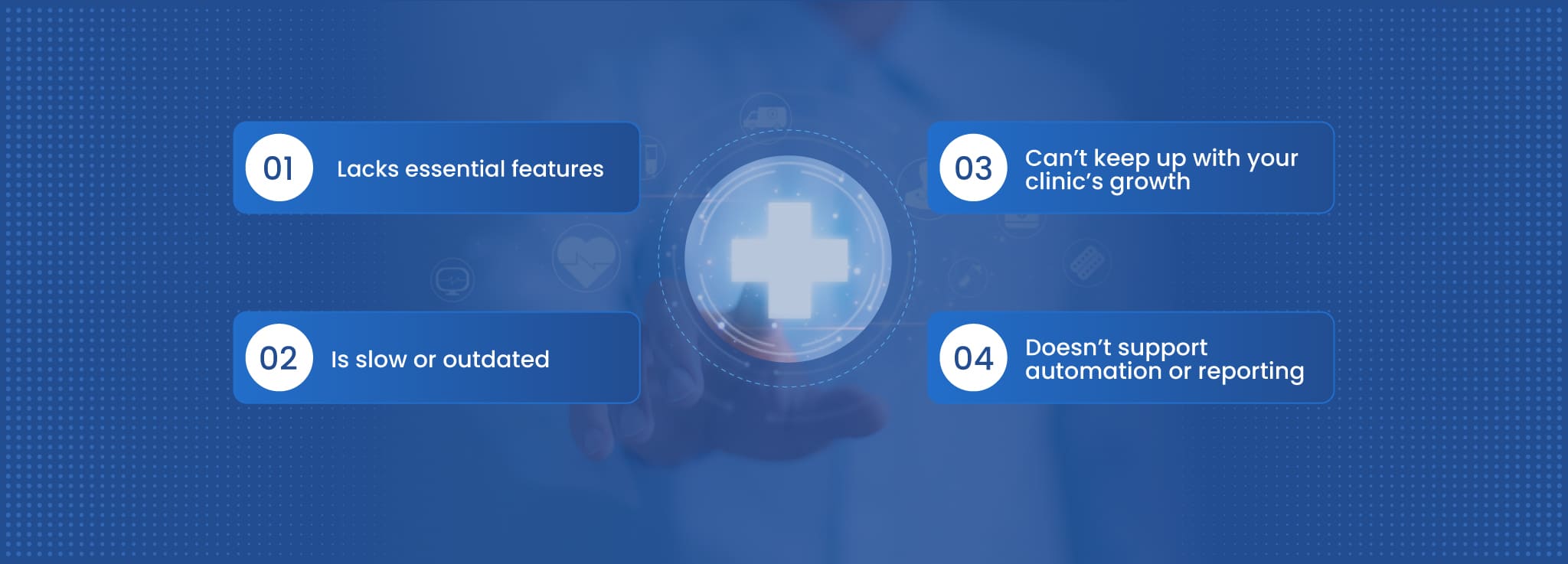
If your current system:
- Lacks essential features
- Is slow or outdated
- Can’t keep up with your clinic’s growth
- Doesn’t support automation or reporting
It’s time to consider a modern patient management system.
Making this switch is not just about technology—it’s about improving how your clinic operates and how your patients feel.
Ready to Transform Your Clinic? Dochours Has the Solution
Dochours is a complete clinic management software in India, explicitly designed for Indian clinics. It understands the unique needs of Indian healthcare providers and offers solutions that are both powerful and easy to use.
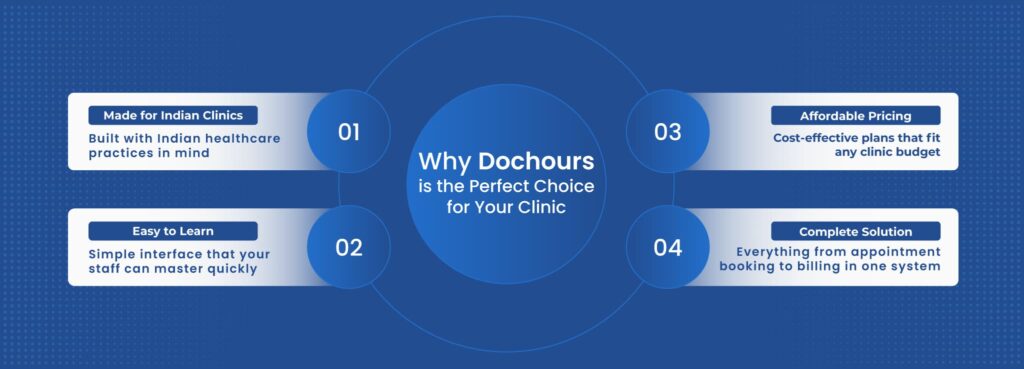
What Dochours Can Do for Your Clinic:
- Reduce paperwork and give your staff more time for patient care
- Increase appointment efficiency with smart scheduling and automatic reminders
- Speed up billing and invoice generation
- Keep all patient data safe and secure in a secure, HIPAA-compliant cloud server.
Your Next Step Forward
The question isn’t whether your clinic needs a modern patient management system – it’s how quickly you can get one. Start by looking carefully at your current systems and finding the problems that are costing your clinic time, money, and reputation. With solutions like Dochours available, you have access to the best patient management software designed specifically for your needs and budget. Your clinic’s success in the digital age depends on having the right tools, and a complete patient management system is no longer optional – it’s essential for survival and growth in modern healthcare. Don’t wait any longer. Make the smart choice today and give your clinic the technology advantage it needs to thrive in tomorrow’s healthcare market.
Frequently Asked Questions
1. How long does it take to implement a patient management system?
Most clinics are fully operational within 7-14 days with proper training and data migration support.
2. What’s the difference between EHR and patient management systems?
EHR focuses on medical records, while a patient management system includes scheduling, billing, communication, and administrative tools along with medical records.
3. Can small clinics afford modern patient management software?
Yes, cloud-based solutions like Dochours offer plans starting from ₹2,999/month, making them accessible for single-doctor practices.
4. Is patient data safe in cloud-based systems?
Modern patient data management system uses cloud servers that encrypt data and follow strict security protocols, making cloud storage safer than physical files.

